Featured Applications

iCountiCount iCount is a number game for iPod Touch and iPhone. Aim of the game is to reach a target number using 6 other numbers and 4 usual operators (addition, substraction, multiplication...

Read more - English, French and German versions available !

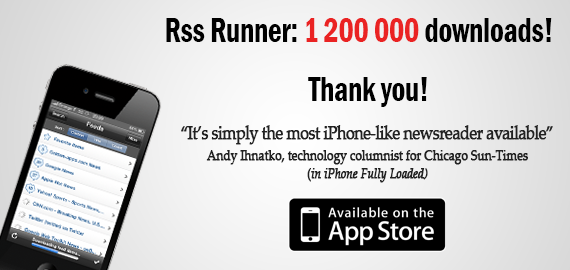
Rss RunnerRss Runner RSS Runner is a free RSS feed reader for iPod Touch and iPhone, which provides a very simple and highly useable interface, complete feed management and advanced offline feed...

Read more - English, French and German versions available !

Golden-apps.com Rss

RSS Runner 0.86 is available on App Store !

Posted on: 15-01-2010 | By: François Goldgewicht | In: Applications

Tags:

5

I just released the version 0.85 with several new features and now here is the version 0.86 !

Now the “Feeds” screen presents ads. It will help me in providing you better functionalities.

IF YOU DO NOT WANT THESE ADS TO BE DISPLAYED, YOU CAN HIDE THEM IN THE APPLICATION SETTINGS.

[Update] There is a bug that prevent you from hiding ads in landscape mode even if you ask to. I just want to let you know that this is bug and I already submitted a fix to Apple (version 0.87). Please wait few days ;-)

[Update, 19-01-2010] The version 0.87 is available on App Store. The bug is now fixed !

Temporary problem with RSS Runner availability on App Store

Posted on: 24-12-2009 | By: François Goldgewicht | In: Applications

Tags:

2

Some of you noticed that RSS Runner is not available on App Store anymore : do not be afraid, this problem will be fixed as soon as possible. In fact, yesterday I submitted a new version of the application to Apple and I faced a little problem during submission.

Stay tuned, version 0.85 is coming !

[Update, 28-12-2009] This problem has been fixed, RSS Runner is back on App Store !

RSS Runner 0.81 is available on App Store !

Posted on: 12-11-2009 | By: François Goldgewicht | In: Applications

Tags:

22

Apple just accepted the version 0.81 of RSS Runner.

I added an option in application Settings to hide the “Favorite items” special item on the main screen (as you can do for the “Unread items” special item).

Let me remind you that you can find RSS Runner settings in the Settings application, which is in the home screen of your device.

RSS Runner 0.8 is available on App Store !

Posted on: 30-10-2009 | By: François Goldgewicht | In: Applications

Tags:

6

Apple just accepted the version 0.8 of RSS Runner.

I added the following features you asked me:

  • Favorite items: now you can mark items as favorite in order to keep them as long as you wish. You have a new special item on the main screen that allows you to view all items that you marked as favorite.
  • Now you can view the web page of a feed item in Safari (as well as in the embedded browser).
  • “All unread items” menu item: now you have a special item on the main screen that allows you to directly view all unread items. You can show or hide it in the Settings screen (as well as configure the number of displayed items).
  • 100 items per feed: now 100 items are kept for each feed (instead of 50).
  • Some improvements on the user interface.

Let me remind you that you can find RSS Runner settings in the Settings application, which is in the home screen of your device.

RSS Runner 0.7 is available on App Store

Posted on: 09-09-2009 | By: François Goldgewicht | In: Applications

Tags:

19

As I told you in my last post, my applications disappeared from the App Store because of a management bug on Apple side. Now they are back, you should be able to download them again.

And Rss Runner 0.7 has been accepted ! It provides the following features:

  • Feed sort bar: allows to sort your feed by title, unread count or custom position. You can disable it or choose your preferred option in the Settings screen.
  • Feed item search: now you can search feed items by keyword. You can choose the max results count in the Settings screen.
  • Mark all items as read: now you can mark all items of all feeds as read using a button on the Feeds screen.
  • Disable landscape: now you can disable landscape mode in the Settings screen.
  • Disable badge icon: now you can disable badge icon in the Settings screen.
  • Settings screen clearer: the Settings screen has been reorganized to be more clear.

I really thank you for having supported me with your e-mails. I hope Rss Runner will be back soon in the Top 50 of the Category “News”, in which he was since its first release in December 2008 until this issue 6 days ago.