30/11/2015.
It's time for Rss Runner to retire. The app is now removed from the App Store. Thank you for your amazing loyalty those 7 years through.
What users say about Rss Runner on the App Store...
WORKS GREAT!
Awsome!
— Crawler5000, United States
Rss Runner features in 5 points
|
|
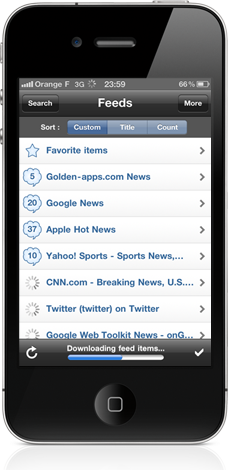
#1 / Very simple and highly useable interface
|
- Directly see your feeds at application launch
- Intuitive feed browsing, like the iPhone Mail application
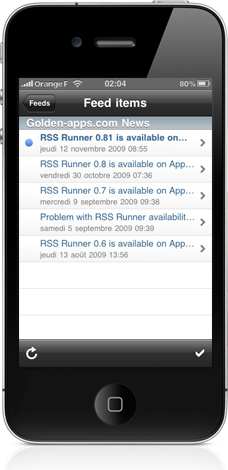
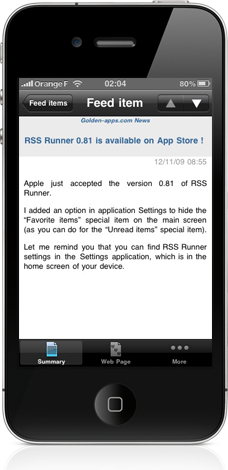
- Clear feed item summaries
- Embedded web browser to view feed item web pages without having to open Safari
- Configure your own settings: font size, automatic feed refresh on startup…
- No advertising on the application if you do not want
- No need to create any account: install it and enjoy !
|
|
|
#2 / Basic feed management
|
- Support of 9 feed formats: Atom 0.3, 1.0, RSS 0.9, 0.91, 0.92, 0.93, 0.94, 1.0, 2.0 !
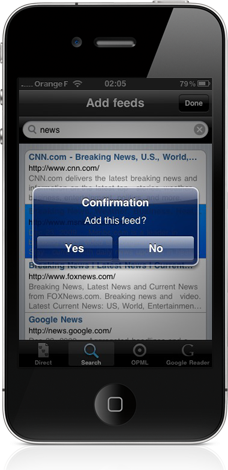
- Add feeds directly or using the embedded web search engine
- Add feeds by importing an OPML file exported from your favorite reader, or by importing feeds from your Google Reader account
- Edit, delete or mark your feeds as read
|
|
|
|
|
#3 / Offline feed management
|
- On-device feeds storage: read them everywhere, even offline !
- Easily track progress of feed updates and continue to read them
|
|
|
#4 / Advanced feed management
|
- Sort your feeds by title, unread count or custom position
- Mark your favorite feed items to keep them
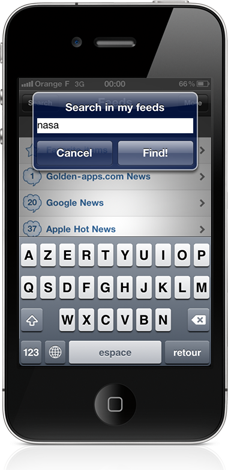
- Search feed items by keyword
- Share your favorite feed items : emails, FaceBook, LinkedIn and Twitter
|
|
|
|
|
#5 / Optimized for iOS 6 and iPhone 5
|
- Multitasking fast-app switching: leave the application and back later, picking up right where you left off (no need to wait for the application to reload)
- Multitasking background execution and local notifications: start downloading all feeds and then leave the application, it will alarm you as soon as download is completed
- High-definition images: application images designed to improve your experience on iPhone 4″ Retina display screen
|
|
We would love to hear from you!
Do not hesitate to contact our support if you have some suggestions or if you face some issues with one of our apps. Help us making our apps even better!
Stay tuned!
You want us to keep you informed about our projects and news? Join our mailing list:
You can also follow Rss Runner on FaceBook and Twitter.

